
SIM Registration TNT Official Link 2026
The SIM registration Act made it necessary for every user to register their SIM card TNT. The process of TNT SIM registration is quick and easy. All you need to do is fill out the registration form and submit it.

How To Register a SIM Card TNT?
There are four different methods for SIM registration TNT. You can use any of the methods according to your preference to register your Talk and Text SIM.
- TNT SIM Registration online via the portal
- Registration VIA the GigaLife app
- Register SIM via Chatbot
- In-person registration in stores
All the registration methods are 100% safe and secure. You can choose any of these methods and complete your SIM reg TNT.
Register TNT SIM Via Portal
To register your TNT SIM card online via the portal, simply visit the Talk and Text portal and complete the registration form. Here is the detailed breakdown of it:
- First of all, visit the official SIM registration site or click on the TNT registration link given below.
- Enter your TNT mobile number carefully in the required field. Ensure that you have entered the accurate number. If you are TM SIM user, visit the TM SIM registration to register your SIM card online.
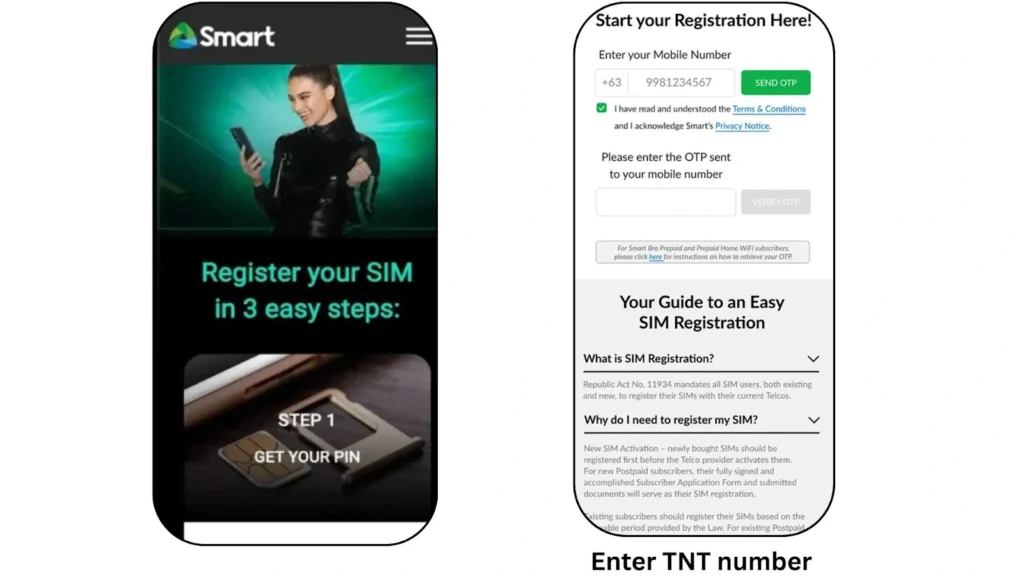
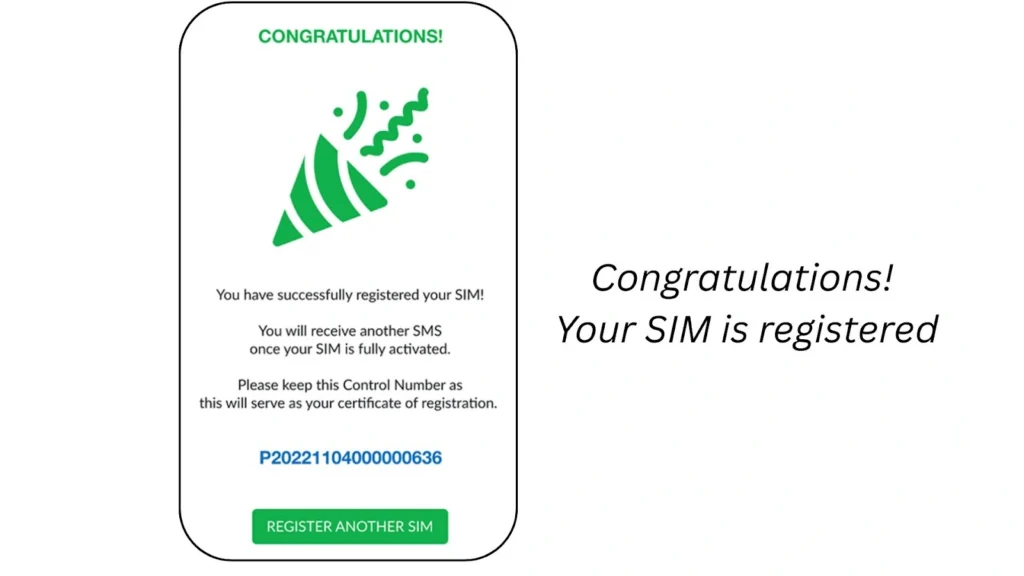
- Read the “Talk and Text” terms and conditions carefully. Tick the box to agree to the Terms & Conditions and Privacy Notice.
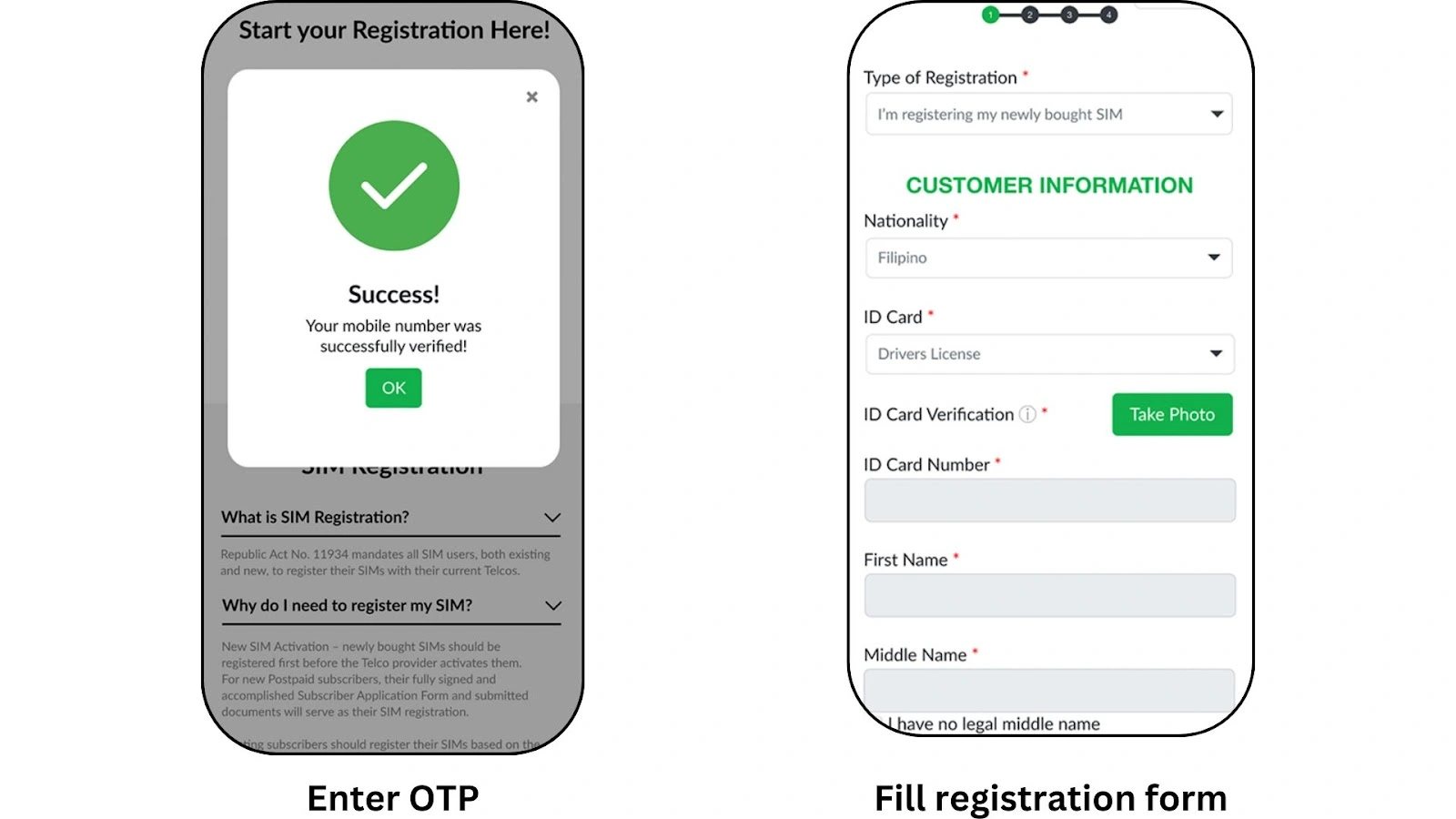
- You will receive OTP on your TNT mobile number. Enter the OTP on the website and submit it.
- Fill out the registration form with your personal details. Always provide the required details according to your official documents.
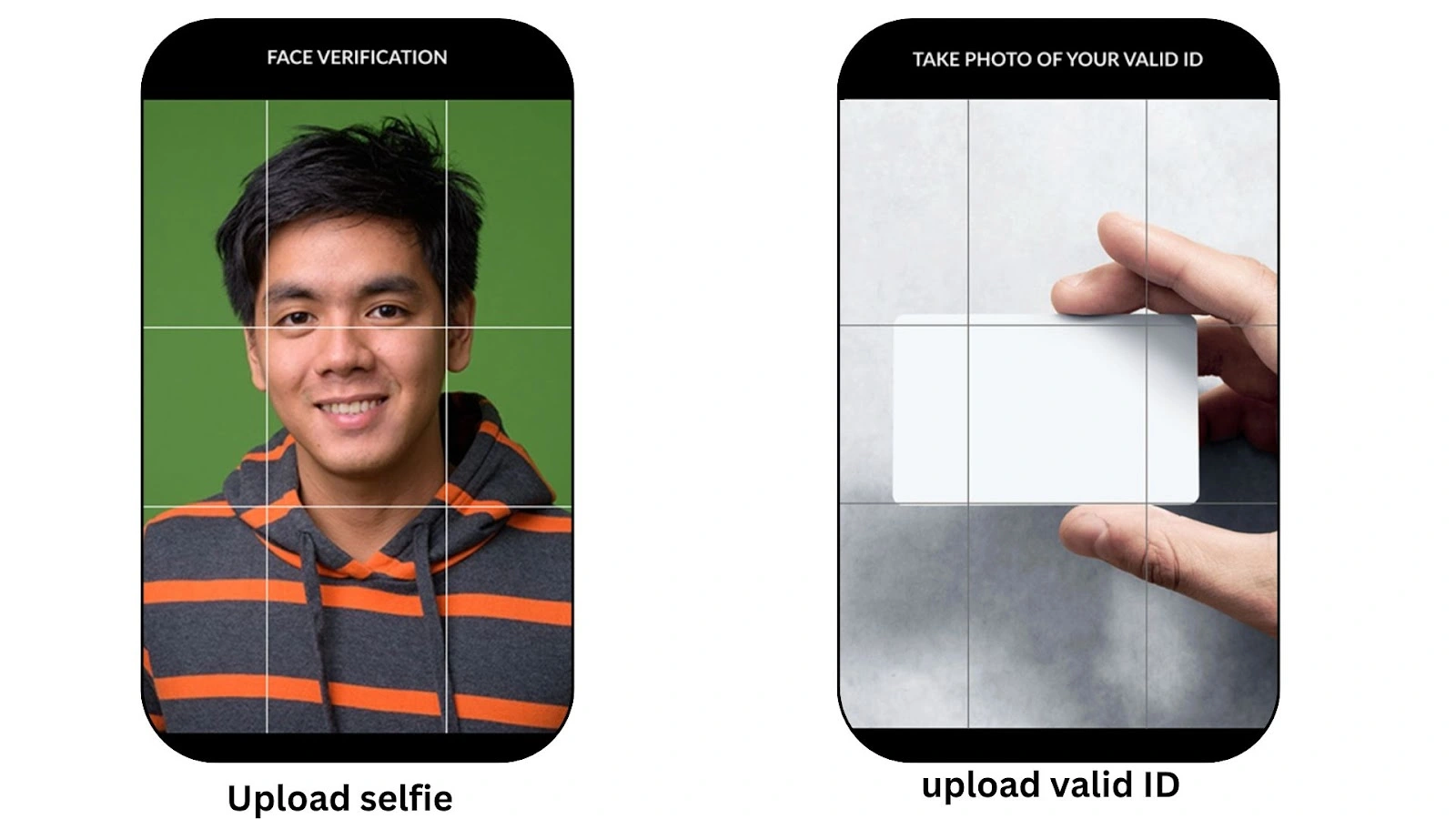
- Please upload a clear photo of your valid government-issued identification. The photo must be clearly visible and readable.
- Take a selfie for identity verification.
- Add alternative contact details. Make sure that the number and Email you are adding are correct and active.
- Your info from the ID will be auto-filled into the form. Review all your details carefully and click Next to finish the process.
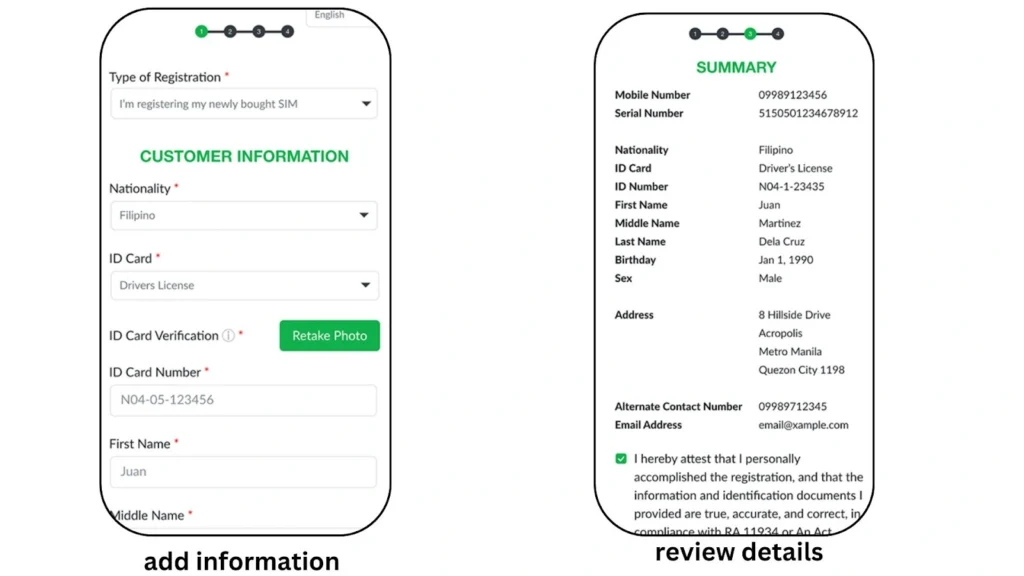
- You will get a congratulations message with the control number. Save the control number and wait for the confirmation message from TNT.
TNT SIM Registration Via APP
The process of registering a SIM card with TNT via the app is almost the same as the portal. However, I have provided a detailed tutorial about it for your ease.
- First of all, download the GigaLige app.
- Once the app is downloaded, open the app and click on the SIM registration option.
- Enter your 11-digit mobile number and click the submit button.
- You will get an OTP on your TNT number. Enter the OTP in the required field to verify your number.
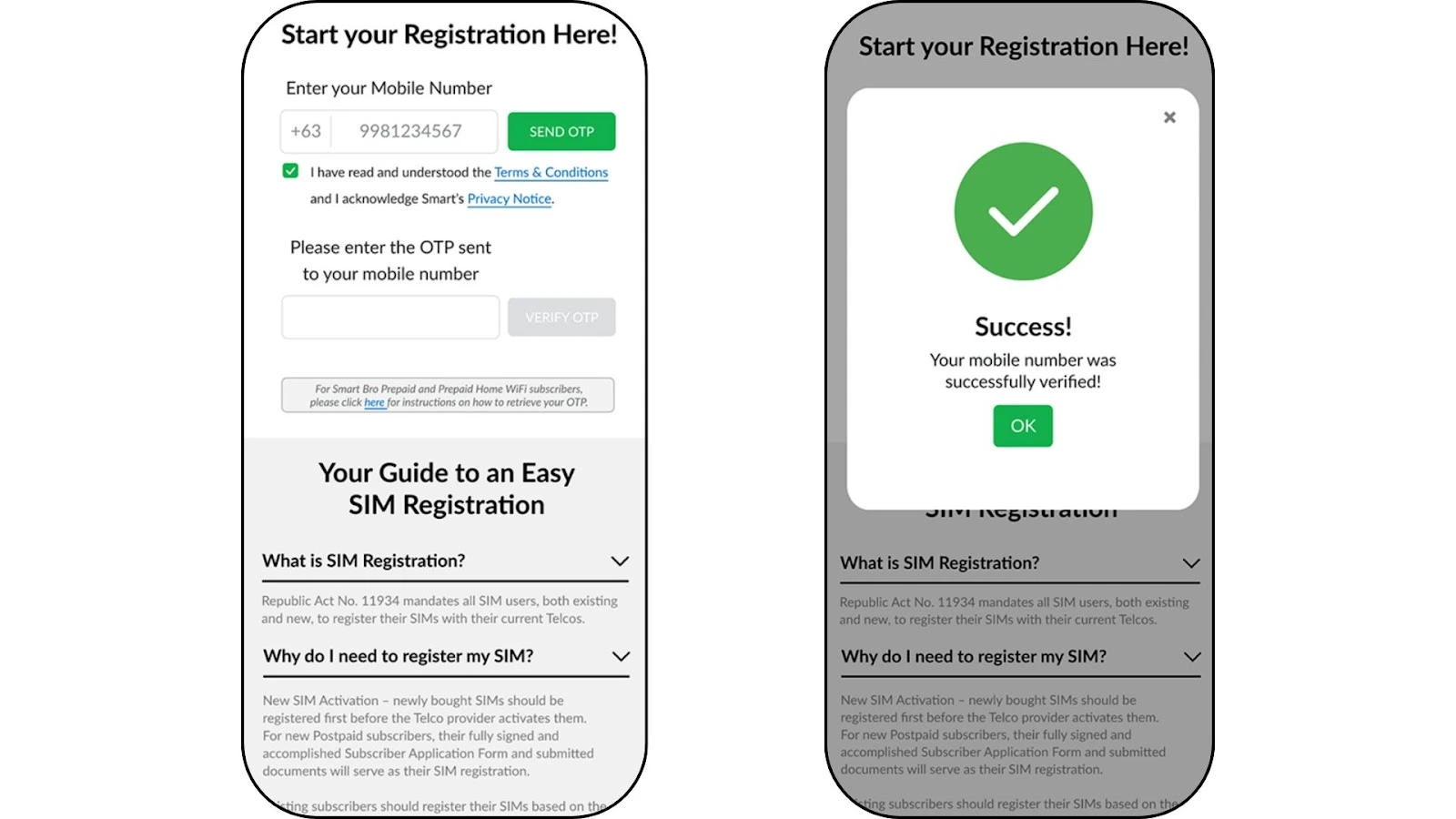
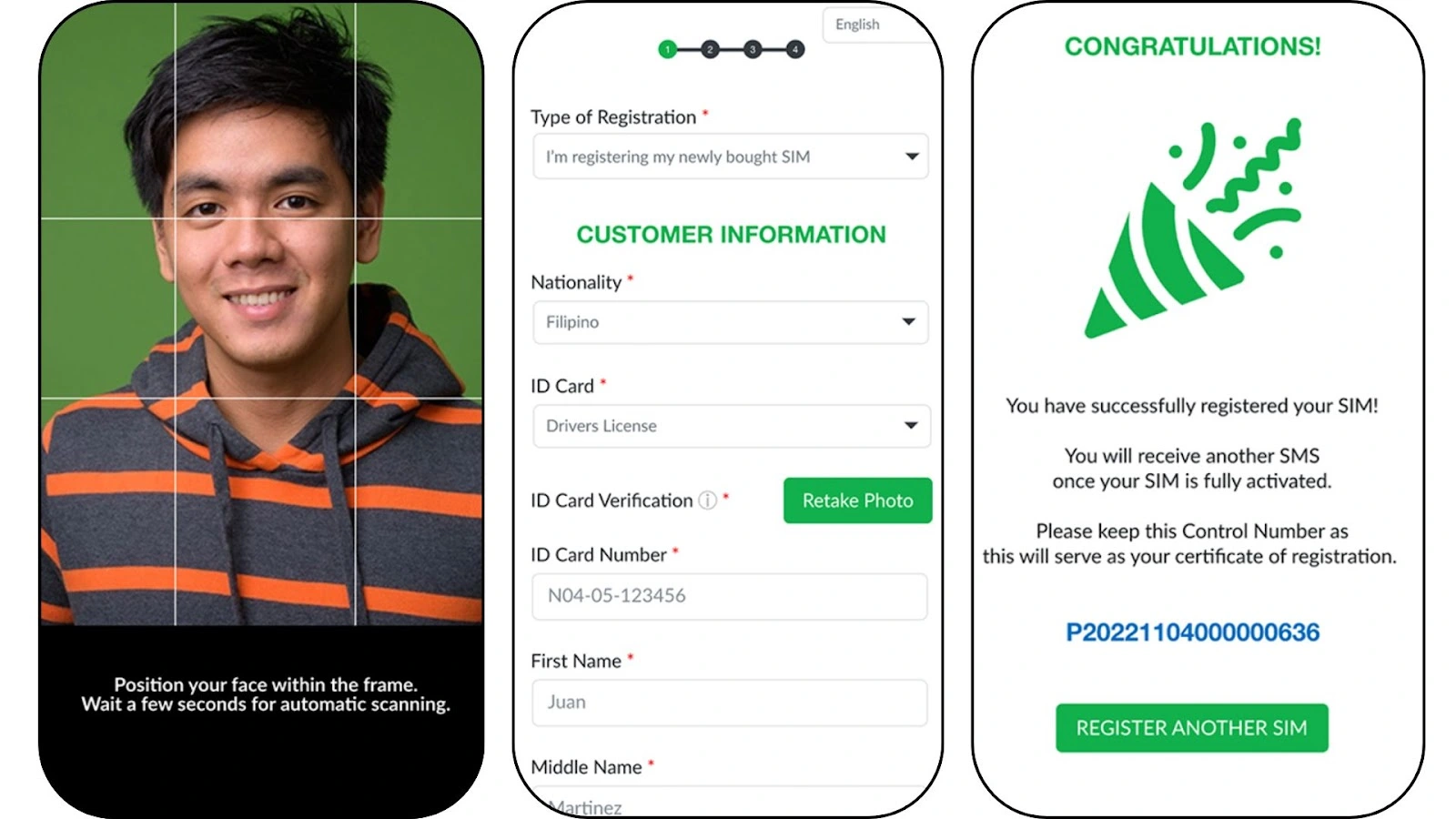
- Fill out the form using accurate personal info based on your valid ID.
- Upload a clear photo of your government-issued ID and take a selfie for verification.
- The system will auto-fill your details from the ID. Double-check all the details and make corrections if needed.
- Once done, submit the form, and you will get a congratulations message with your control number. Save the control number for future use.
TNT Registration Number
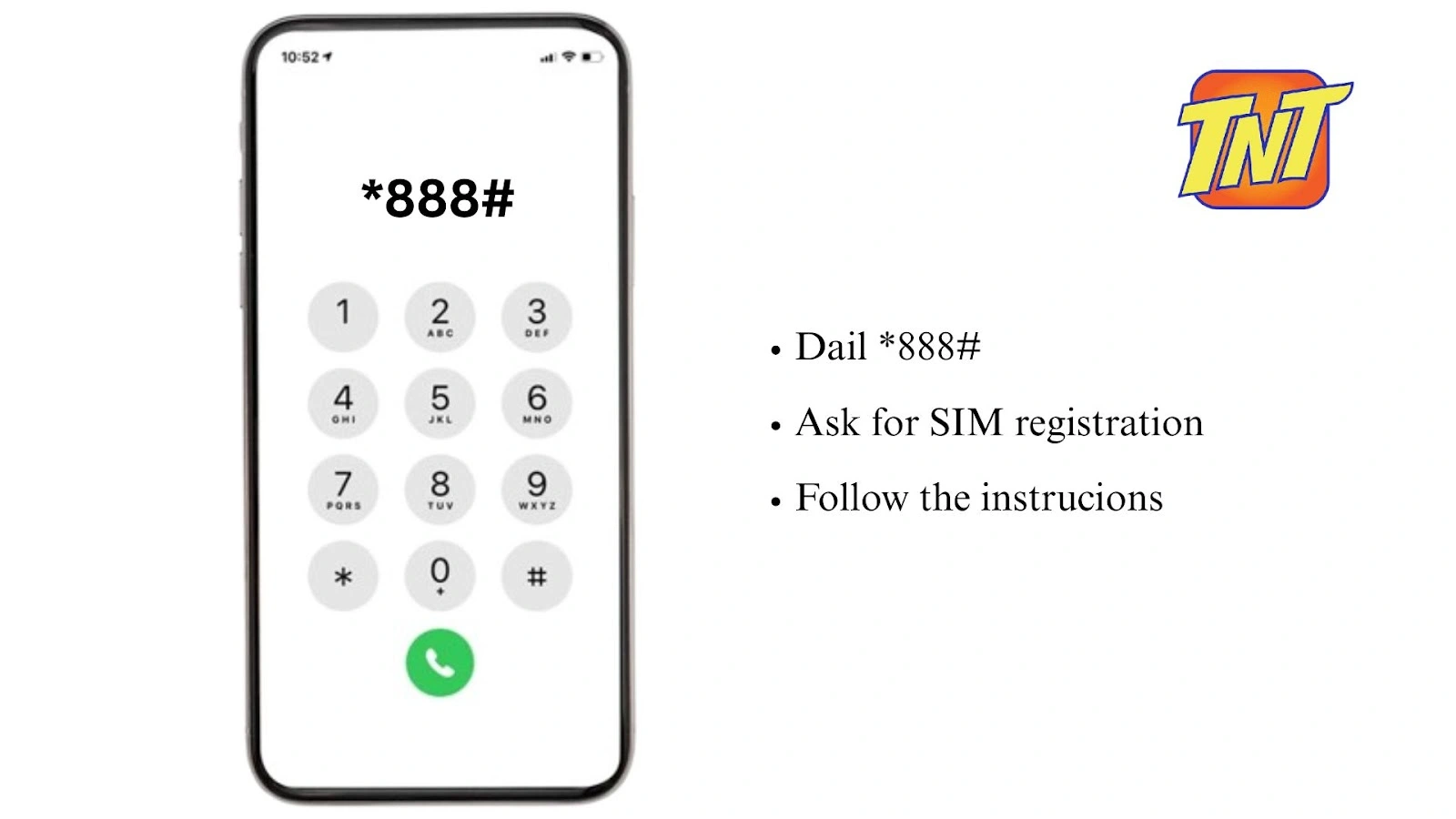
You can also register your TNT SIM card by calling the TNT registration number. Here is how to register a TNT SIM via number:
- Dial *888# from your TNT mobile phone or call (02) 8888-1111 if you’re using a landline.
- Talk to the customer helpline and ask them to register your TNT SIM.
- They will guide you and complete the registration during the call.
Register Via Chatbot
The Talk and Text provides the latest technologies to the user for SIM registration with TNT. Here is the detailed tutorial to register for a TNT SIM online via Messenger chatbot.
- Visit the TNT Facebook page and go to the messenger option to talk with the chatbot.
- Ask the boat for SIM registration.
- You will be asked to provide some details. Provide all the required details and documents.
- Follow the on-screen instructions, and you will get a confirmation message upon successful registration.
In-Person Registration
Smart Telecom also provides the option for in-person registration if you are not comfortable with the online process. Here is how you can register a SIM card with TNT in stores with in-person assistance:
- Visit your nearest Smart Telecom store and bring the valid documents along with you.
- Ask the attendant for SIM registration.
- You will be asked to provide some important details and documents.
- The attendant will assist you in completing your SIM registration.
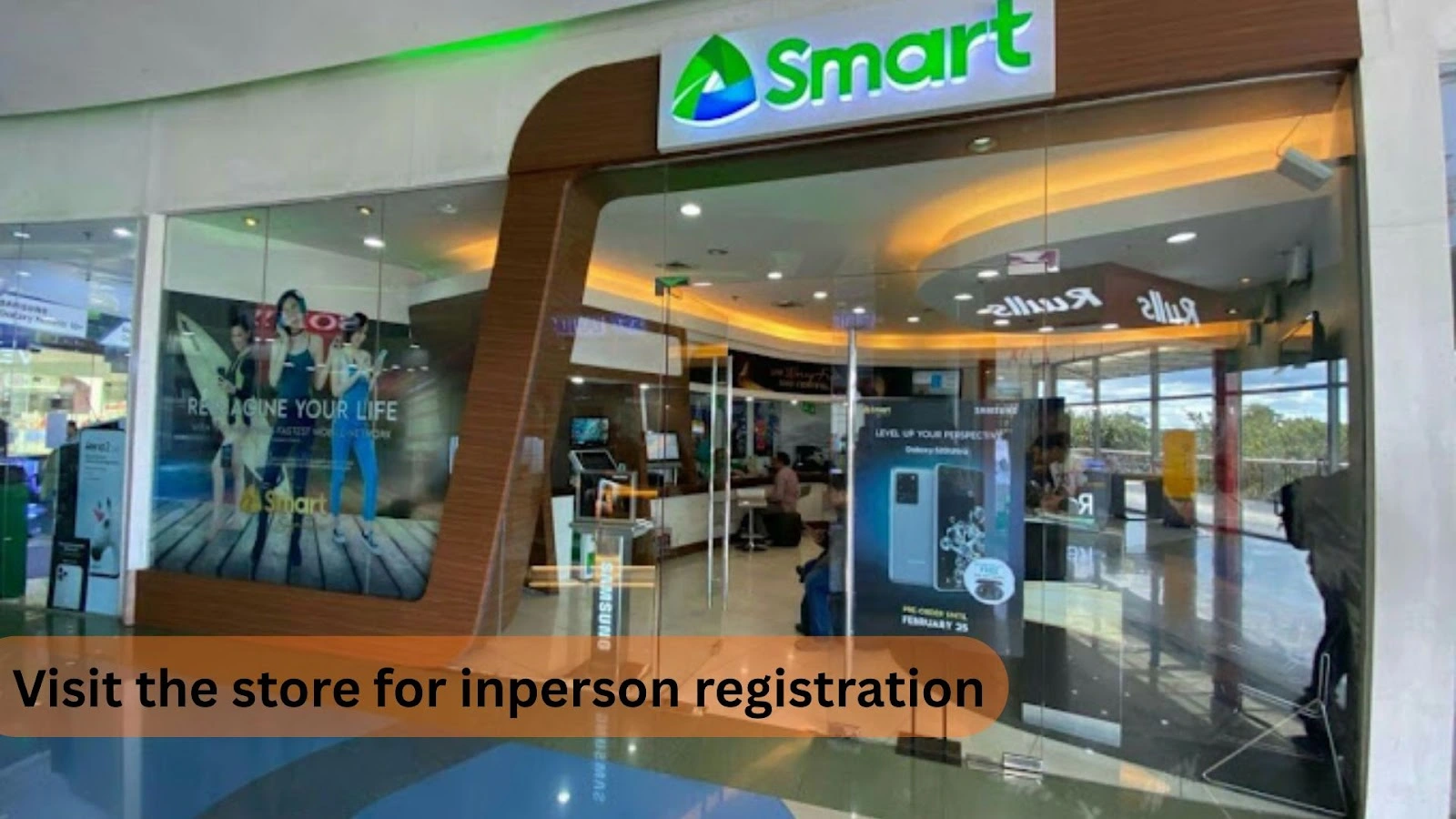
As a regular TNT SIM user, I have experienced SIM registration several times. I always prefer to register the SIM online via the portal. It is because the process is simple and comparatively fast. However, you can use any of the available methods safely without any issue.
How To Check Registration Status
Once you have completed the process of SIM registration, you can track your registration status. Here is how to check your registration status:
Check Registration Status Through Portal
- Go to simreg.smart.com.ph.
- Enter your 11-digit TNT SIM number.
- Verify using the OTP sent to your phone.
- You will receive a confirmation message about your registration status.
Check Status Using Smart APP
- Open the Smart app on your mobile phone.
- Log in to your account.
- View your registration status, where your phone number is shown in the app.
Check by Visiting Smart Store
- Go to the nearest Smart store.
- Bring the necessary documents with you.
- Ask the staff to check your registration status for your TNT SIM.
How To Activate a TNT SIM Card
Once you have completed the SIM registration, you can activate the TNT SIM. Here is the detailed guide about it:
- Insert the TNT SIM card into your phone.
- Turn on your phone and turn on mobile data.
- You will receive a welcome text message confirming your TNT SIM activation.
- Alternatively, dial *123# on your phone.
- Navigate to Balance/Services and check the TNT balance to confirm activation.
- You can also text “?15001” to “214” to receive activation confirmation and balance info.
Once activated, you can start using calls, texts, and data services on your TNT SIM.
This process works for both LTE and 5G TNT SIM cards. If activation doesn’t work, ensure the SIM is properly inserted and mobile data is turned on.
Requirements For TNT Registration
Here is the list of SIM registration TNT requirements. You must fulfill these requirements to register the SIM card in the Philippines.
For Philippine Nationals
Here is the list of requirements for Philippine nationals:
For Minors
Here is the list of requirements for minors:
For Companies
Here are the requirements for companies:
For Foreigners
Here are the requirements for foreigners:
Difference Between TNT Regular and eSIMs
|
Feature |
TNT Regular SIM |
TNT eSIM |
|---|---|---|
|
Format |
Physical SIM card |
Digital SIM embedded in your device |
|
Activation |
Insert SIM card into phone |
Scan QR code and activate without physical card |
|
Availability |
Available at retail stores |
Available online, Smart Stores, and some retailers |
|
Convenience |
Can be lost, damaged, or misplaced |
Secure from loss/damage, always inside device |
|
Device Compatibility |
Works in any SIM slot phone |
Requires eSIM-capable phone (Apple, Samsung, Huawei, etc.) |
Registration Bonuses for TNT
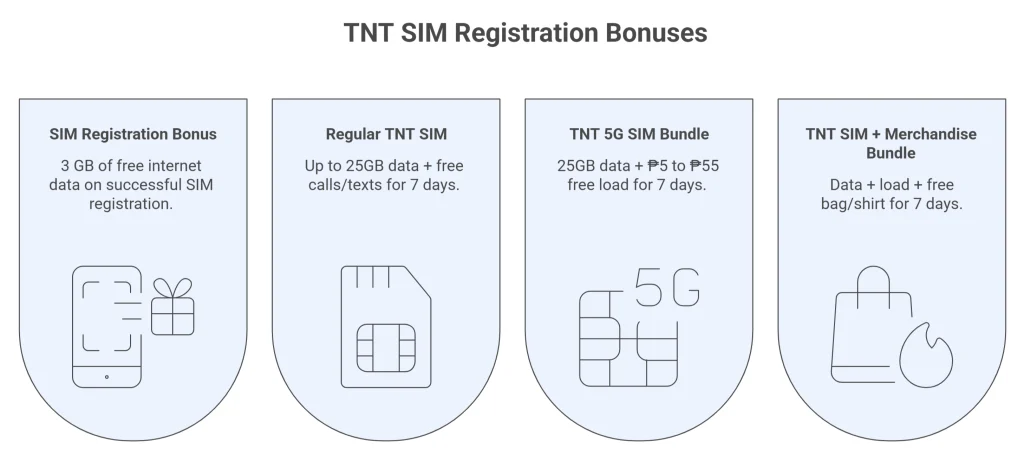
TNT offers 3 GB of free internet data on successful SIM registration as a registration gift. You can receive this bonus with a confirmation message of registration. Register your SIM now and enjoy 3 GB of internet data for free.
However, if you buy a new TNT SIM, here is what you will get:
|
SIM Type |
Free Bonuses Included |
Validity |
|---|---|---|
|
Regular TNT SIM |
Up to 25GB data + free calls/texts |
7 days |
|
TNT 5G SIM Bundle |
25GB data + ₱5 to ₱55 free load |
7 days |
|
TNT SIM + Merchandise Bundle |
Data + load + free bag/shirt |
7 days |
Troubleshooting The Common Errors
Although the process of SIM registration TNT is simple, many users face some common issues. Here are the the proven solutions for the issues:
Benefits Of SIM Registration
There are several benefits of registering your TNT SIM. Completing the registration not only keeps your SIM active but also gives you access to exclusive promos, better security, and improved services. Below are the top six benefits you will enjoy:
Law:
After the SIM Registration Act, you can not use an unregistered SIM card. Unregistered SIMs get deactivated, so registration keeps your TNT SIM active for calls, texts, and data.
Prevent Scams and Fraud:
Registered SIMs help protect users from scams, identity theft, and fraudulent activities.
Get Access to Promotions:
TNT offers several promos, freebies, and rewards to Registered users. Only registered users can enjoy these benefits.
Enhanced Customer Service:
Registration allows TNT to provide better support and faster resolution of issues.
Enable Financial Services:
Registration unlocks access to services such as mobile loans, pasaload, and other TNT offerings that require verified users.
Support National Security:
Registration helps telecommunications providers and authorities ensure safer digital communication for everyone.

Tips For Smooth Registration
Here are some practical tips that I always follow for smooth SIM registration:
Smart TNT Helpline Details
Here are the TNT contact details. You can reach out to the help line at any time if you encounter any issues. The helpline is available 24/7 to assist you.
Call
via Phone (02)8888-1111
via Mobile (*888 toll-free)
Messenger Chatbot
Chat with the AI messenger chatbot
Chat Now
FAQs
Conclusion
Registering your TNT SIM is quick and simple, and it is now mandatory under the SIM Registration Act. You can easily register your TNT SIM online via the official portal, using the Smart GigaLife app, by chatbot, calling the TNT registration number, or visiting a Smart store. Just fill out the form with your valid ID and personal details, then submit for verification. The process of SIM registration TNT is secure and totally free of cost.
Register your TNT SIM number to keep your service active and enjoy benefits like promos and extra data. For a hassle-free experience, register for a TNT SIM online through official channels. Contact the TNT helpline in case of any issue. You will get possible solution as soon as possible.